 Zede
ZedeProject Spaces for Claude Code
Your Claude Code work. Finally in order.
Keep projects tidy. Save your work. See and edit the context Claude uses.
Free and open source. macOS today. Windows and Codex support are coming soon.
See Zede in 4½ minutes. Spaces, clear context, prompt jumps, and saved conversations.
Why Zede
Keep your work moving.
Zede gives Claude Code the order it needs when your work gets busy.
-
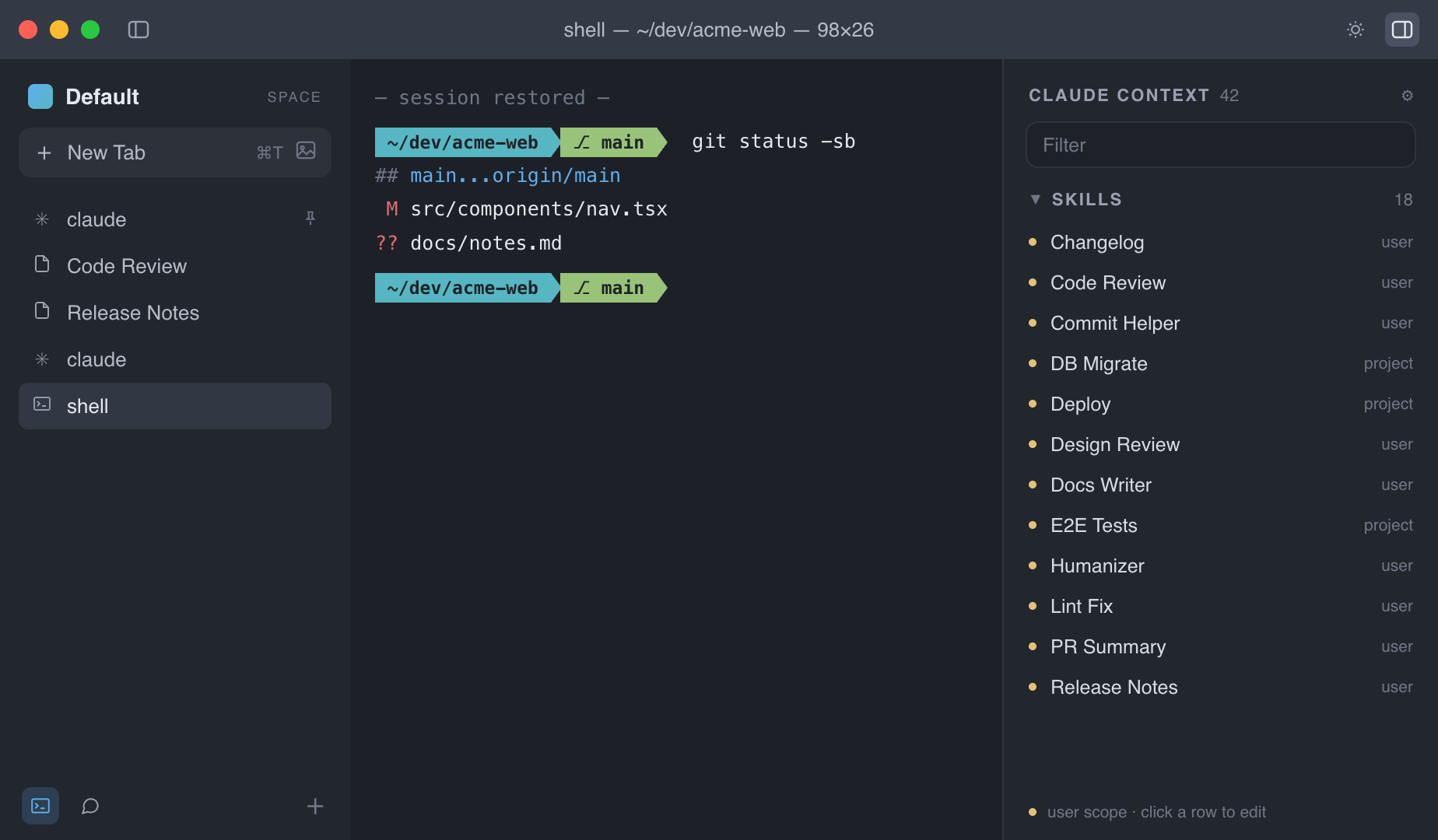
Arc-style Spaces for your projects
Bring the project switching people love in Arc to your terminal. One Space per project. Its tabs stay together.
-
Your work waits for you
Save a conversation. Give it a name. Open it next week. Pin a Claude tab and resume it when you relaunch Zede.
-
Find work and context fast
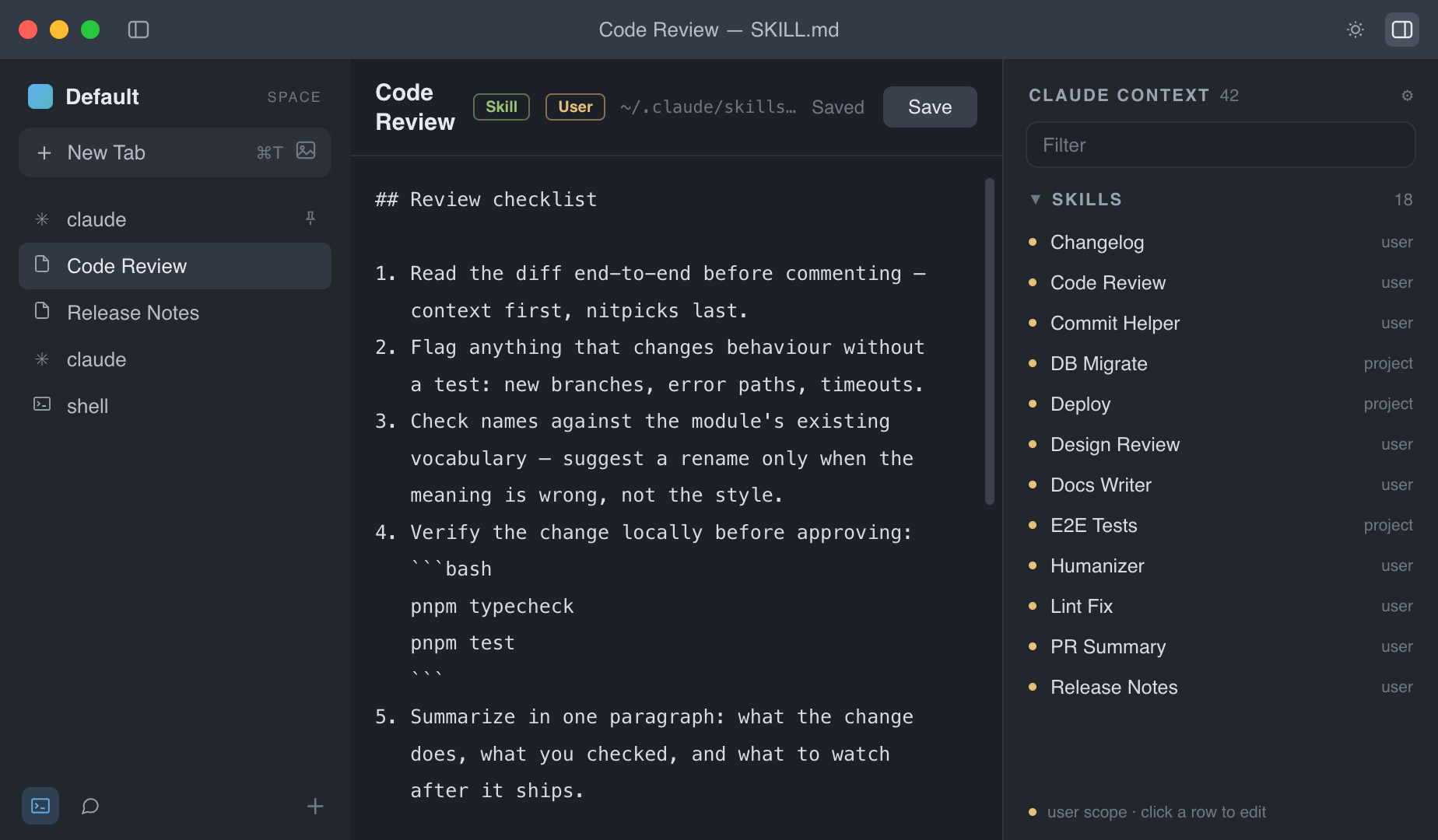
Jump to any prompt in a long session. Read, search, or remove the context that helps Claude understand your work.
-
Change skills in one place
Open skills and plugins inside Zede. Make the change. Save it. No config-folder digging.
-
Make the terminal yours
Set the type, spacing, scrollback, cursor, and theme you like. Your setup can follow you between Macs.
-
Your data stays yours
Your database stays on your Mac. Choose local-only memory, or sync Spaces, memories, and settings through a Git repo you own.
A closer look
Clear on the inside, too.
Get started
Make Claude Code easier to run.
Zede is free and MIT licensed. Build it locally on your Mac.
git clone https://github.com/goldinitp/zede.git
cd zede && pnpm install && pnpm dist
There is no prebuilt app yet. You do not need an Apple Developer account to build Zede locally. Windows and Codex support are coming soon.